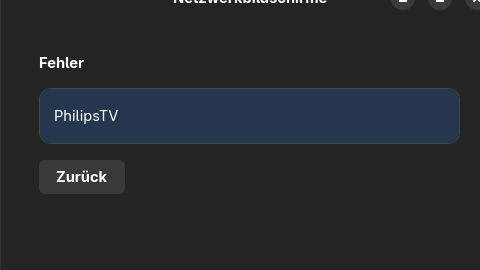
Hi. I tried using Gnome-Network-Displays Flatpak version. I have this issue:
One of the following codec plugins is required for audio support. Clicking will start the installation process. → (Nothing to click actually!)
One of the following codec plugins is required for video support. Clicking will start the installation process. → (Nothing to click actually!)
A required firewall zone is not available and could not be installed. Please try again and enter the password when prompted or contact a system administrator.
I am using Nvidia GeForce 940M (Driver is good. I am gaming in steam with no issues), VLC, GNOME 47.3. Firewalld, pipewire. Mutter(wayland) and linux kernel 6.12.10-arch1-1. This app used to work well when I was using Fedora. Please help.
Same behaviour here.
Endeavour OS (arch based), kernel 6-13-7-arch1, wayland, Gnome 48, Thinkpad x270 (intel video).
Installed flatpak yesterday. After selecting my TV and passing admin password I got the 3 above mentioned Errors but nothing to click. Firewalld is set to “trusted” and should allow everything.
What is missing? Why is Click to install list empty?
please start the app from command line and attach the log.
do you have the gnome xdg portal installed?
gst-inspect-1.0 | grep -E "openh264enc|x264enc|vaapih264enc|openh264dec|avdec_h264|vaapih264dec"
libav:  avdec_h264: libav H.264 / AVC / MPEG-4 AVC / MPEG-4 part 10 decoder
openh264:  openh264dec: OpenH264 video decoder
openh264:  openh264enc: OpenH264 video encoder
vaapi:  vaapih264dec: VA-API H264 decoder
vaapi:  vaapih264enc: VA-API H264 encoder
x264:  x264enc: x264 H.264 Encoder
xdg-desktop-portal-gnome is installed, too.
starting app and selecting my Philips TV displays “step 1/2 - Connecting to device” on my TV. This takes 1 minute until “Error” is displayed in app window.
❯ flatpak run org.gnome.NetworkDisplays
MESA-INTEL: warning: ../src/intel/vulkan/anv_formats.c:782: FINISHME: support YUV colorspace with DRM format modifiers
MESA-INTEL: warning: ../src/intel/vulkan/anv_formats.c:814: FINISHME: support more multi-planar formats with DRM modifiers

(gnome-network-displays:2): Gnd-WARNING **: 21:01:41.439: codec list not initialized

(gnome-network-displays:2): Gnd-WARNING **: 21:01:41.440: codec list not initialized
I do find the codec warning odd - it works fine for me using fedora
I have this same problem. Trying to cast from Fedora to a Philips TV and it showing error after some time. My logs also include the ‘codec list not initialized’ warnings:
❯ flatpak run org.gnome.NetworkDisplays

(gnome-network-displays:2): Gnd-WARNING **: 20:09:42.275: NdCCProvider: Failed to resolve Avahi service: Resolving failed: Timeout reached

(gnome-network-displays:2): Gnd-WARNING **: 20:10:25.818: codec list not initialized

(gnome-network-displays:2): Gnd-WARNING **: 20:10:25.818: codec list not initialized
You should probably report this to the devs directly
I am getting the same codec not initialized issue trying to cast to my tablet to use as a second display but unable to has a solution/work around been reached?
you probably need to be specific, what your tablet and your computer is and what they are running
I’m also having an issue. When I click on the TV I wish to connect to, It goes to time out and gives an error message. No other indication is given. I tried to run it in the terminal window and got the following errors:
(gnome-network-displays:2): Gtk-WARNING **: 15:44:57.261: Unable to acquire the address of the accessibility bus: GDBus.Error:org.freedesktop.DBus.Error.ServiceUnknown: org.freedesktop.DBus.Error.ServiceUnknown. If you are attempting to run GTK without a11y support, GTK_A11Y should be set to ‘none’.
(gnome-network-displays:2): Gnd-WARNING **: 15:44:57.402: Failed to create screencast session: Screencast SelectSources() failed
I’m not sure how to fix this. Any suggestions would be greatly appreciated.
I’m running Raspberry Pi 5 raspian bookworm
Thanks