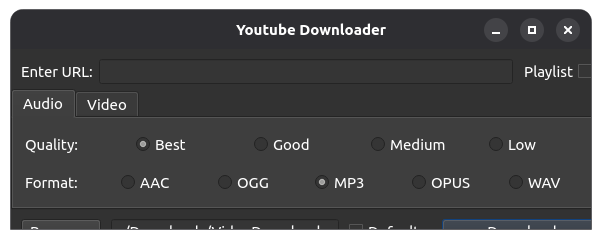
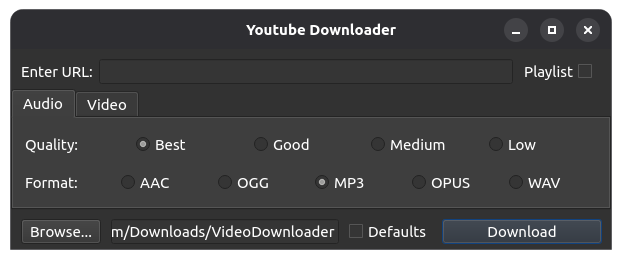
The only way to get it to show the menu options which are hidden at the bottom is to make it full screen using the Maximise button then hit the middle Maximise button again and the screen with option correct;ly renders like this:
I tried doing that but registering to get in to their reporting mechanism was worse than trying to gain access to the British Monarch’s crown jewels in the Tower of London!
Edit: On using the original icon shortcut (rather than the terminal command you provided) it ran the new version. Once again, thanks for your help in resolving this.
Yes but it will take some time because the Flatpak build process is quite slow and I usually package the .deb before the Flatpak.
Please note that this version will not be updated by your package manager so you may want to uninstall it and update the official Flathub version when the new version will be available.
When can I be assured that has taken place. I noted that is could take some time so is there a mechanism by which to check if it has taken place or will it jusyt be pot-luck?
I don’t really know I was thinking that Flathub page was showing the app version but the current app version is 4.4.4 and it is still written 4.4.3 even if I published the 4.4.4 one week ago. If the app work for you, just wait a few week and check the Flathub page again.
Please note that I am not currently adding a lot of big features to the app so it is probably be useful to update only if the app stop working for some website you are using (or if there is a feature you would like to be added).
It was some days ago now and I don’t remember all the detail except that I seemed to be going round in circles until eventually I was timed out of registering after which I decided to just post on Flathub to see if anyone else had the same issue regarding the menu options.
I’ve registered on many application sites before without any issue so this one just seemed as though it wasn’t welcoming. Perhaps I’ll have another go over the weekend and report back if there is still a problem.
BTW, you might also like to know that the Progress screen also suffers from the same rendering issue (both video and audio) for when you complete the final upload.
The release with the bug fixed is available on Flathub. For some unknown reason, the French version of the Flathub website indicate v4.4.6 (the version with the bug fixed) but the English one still show v4.4.4.
I will try to resolve that until the next release. It should be easier than for the main window.
Yes - checked that just now (I’m in France) and it shows 4.4.6. I did check it only yesterday afternoon (before my last post) and it was still shown as 4.4.4 then.
So now, I guess I can just remove temp version since Stable automatically updated to 4.4.6